Clemson Degree Programs
About the project
Date:
Client:
Clemson University
Services:
User Testing UI Design UX Design
User Research and Testing
Primary Audience Demographics:
Prospective Undergraduate and Graduate Students
18-28 years old, Well Educated, Gen-Z
Relevant Audience traits:
Dynamic content
High level of importance quality of academics and cost
Career outcomes and ROI for their degree
Authenticity in how the experience is represented
Brevity of information
User Testing of Existing Site With Students
I conducted user testing interviews with three high-school seniors and had them perform basic tasks on the previous iteration of degrees.clemson.edu.
Key Take aways
The testing and follow up interview with the students showed they experienced..
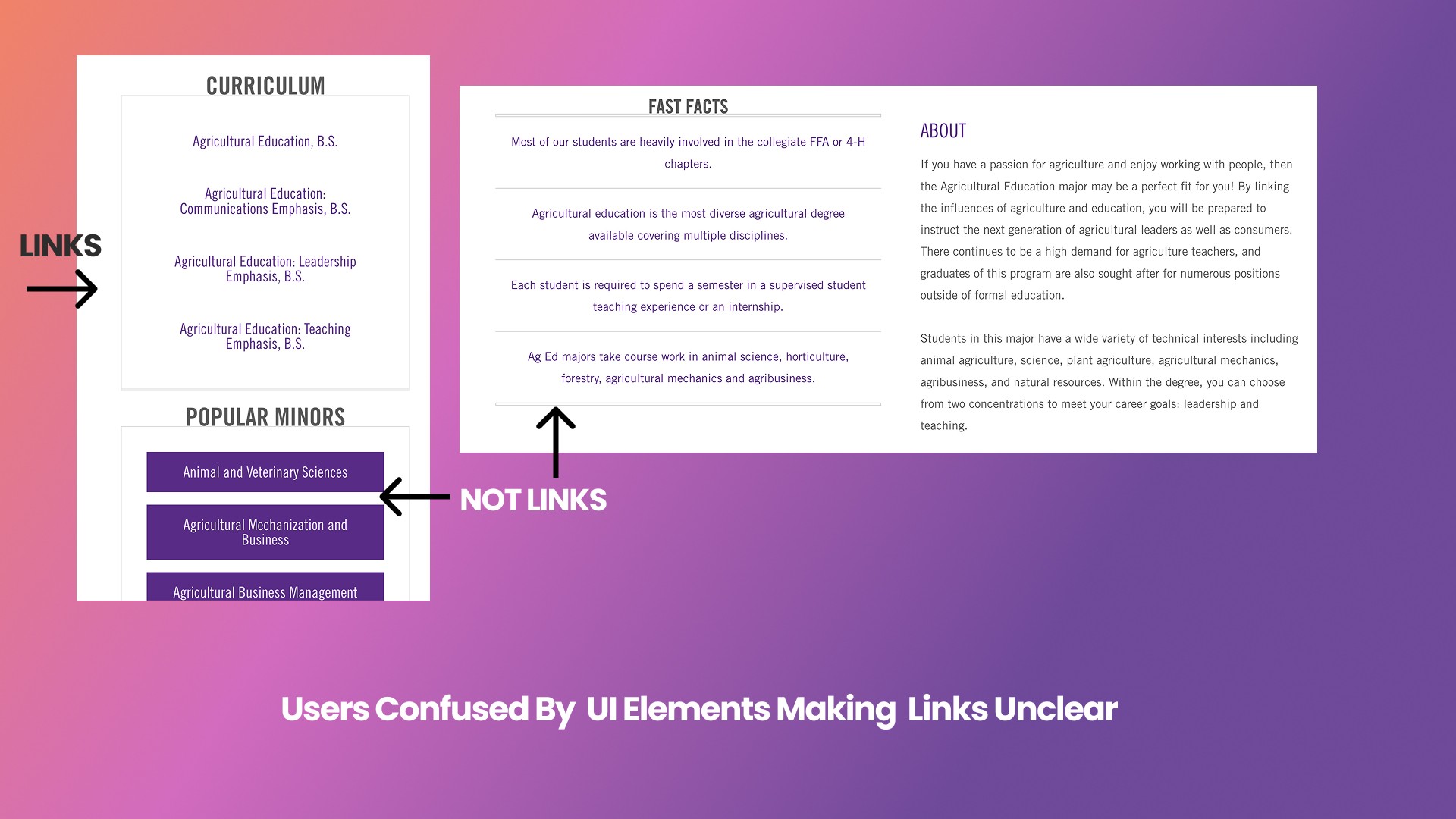
Difficulty distinguishing links and buttons from other page content.
Difficulty finding links to more information on each program's college/department site
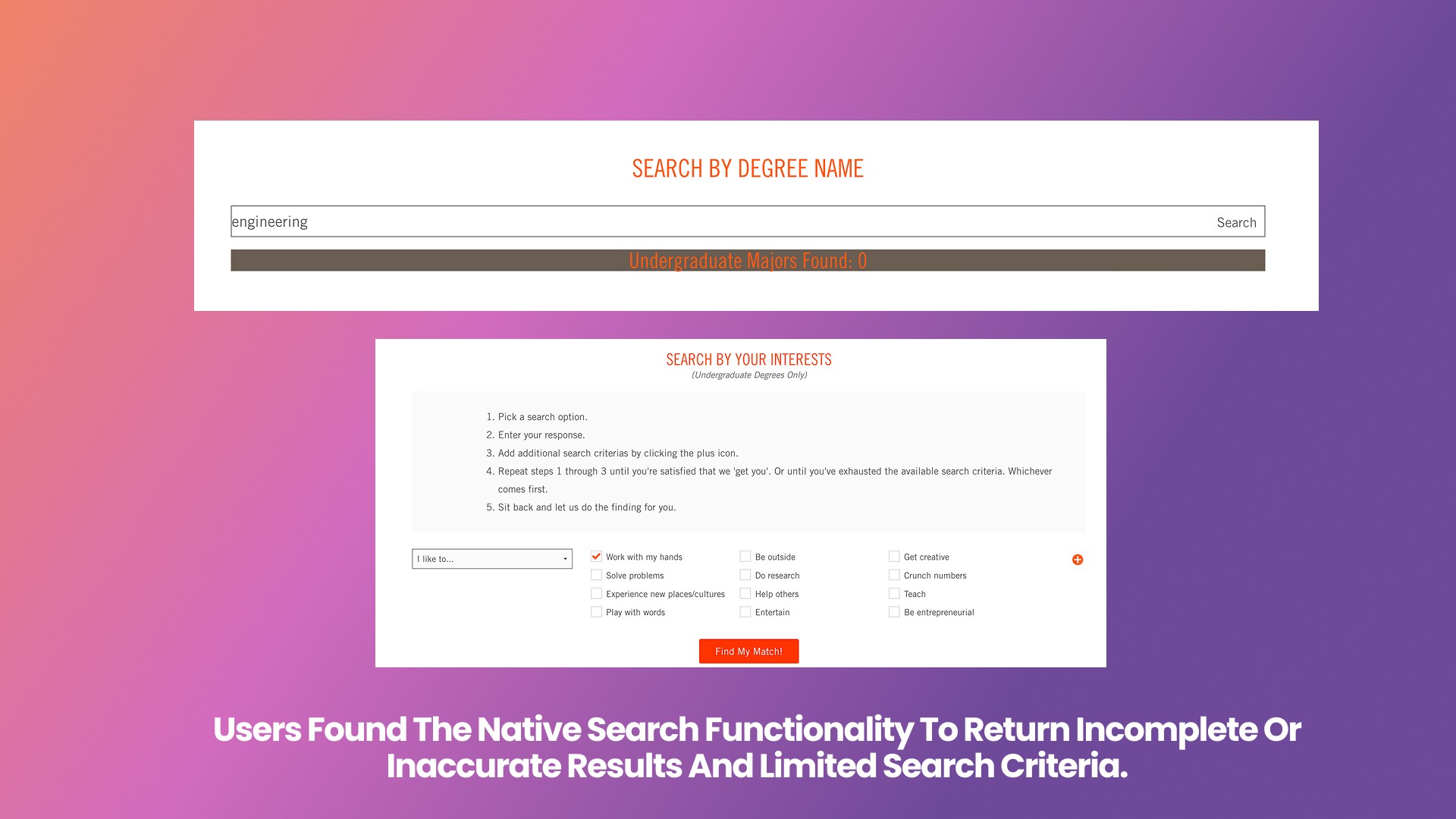
A search experience that was clunky, confusing, or broken
A lack of ease in navigating between the degrees site and the rest of Clemson.edu
Disappointment in a lack of information regarding cost or ROI
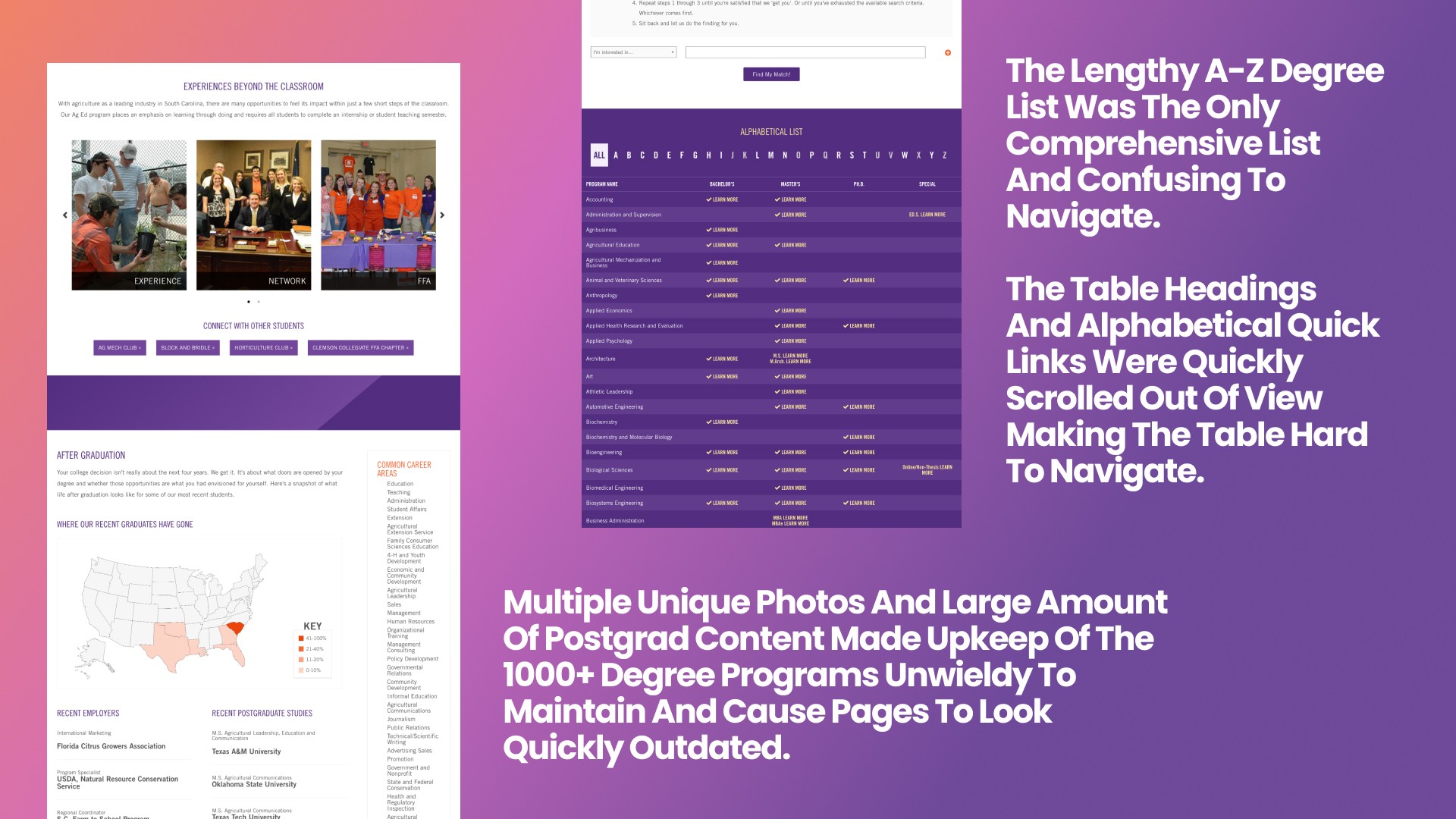
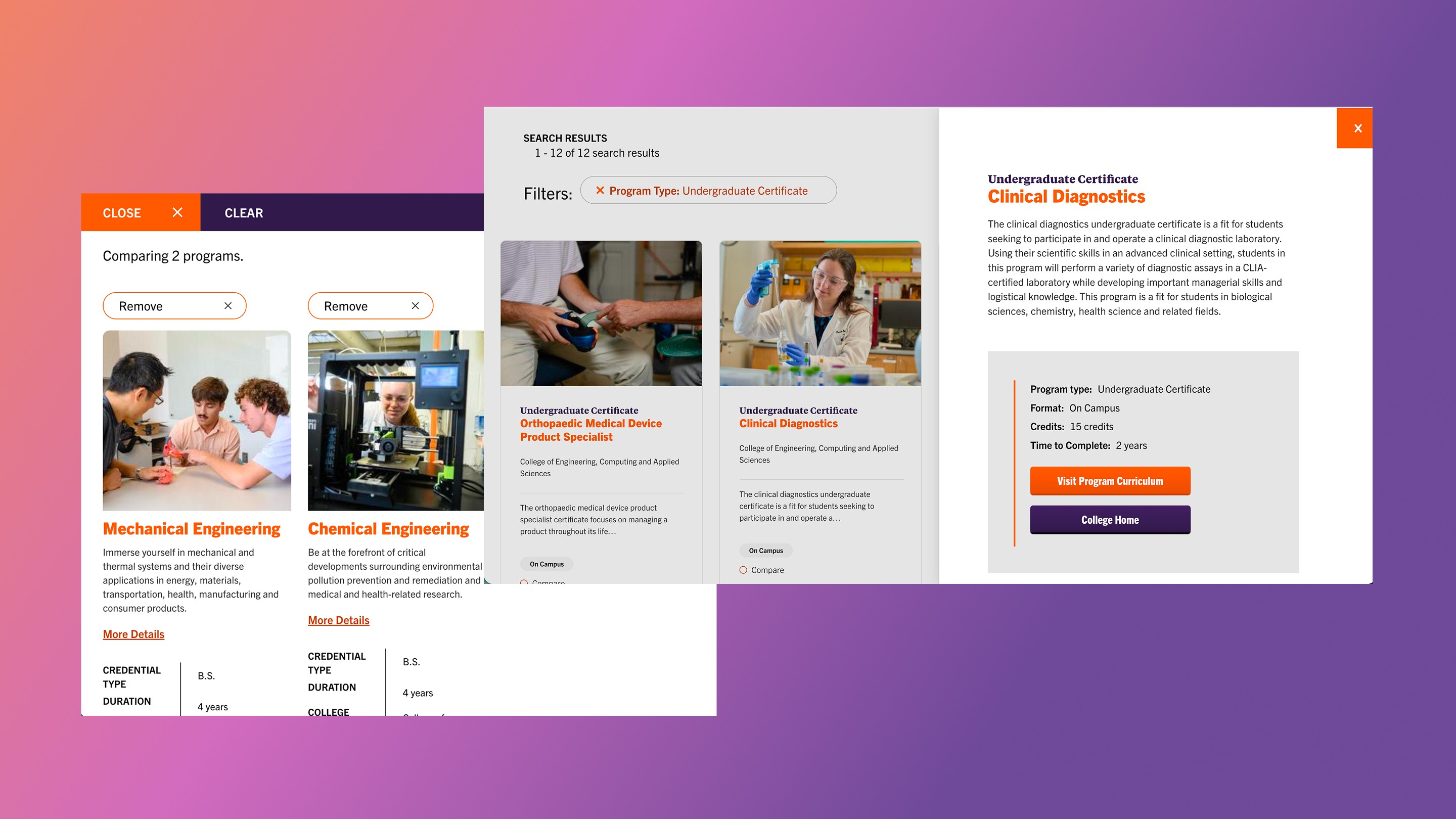
Difficulty quickly scanning and comparing programs
Market Research/Competitor Analysis
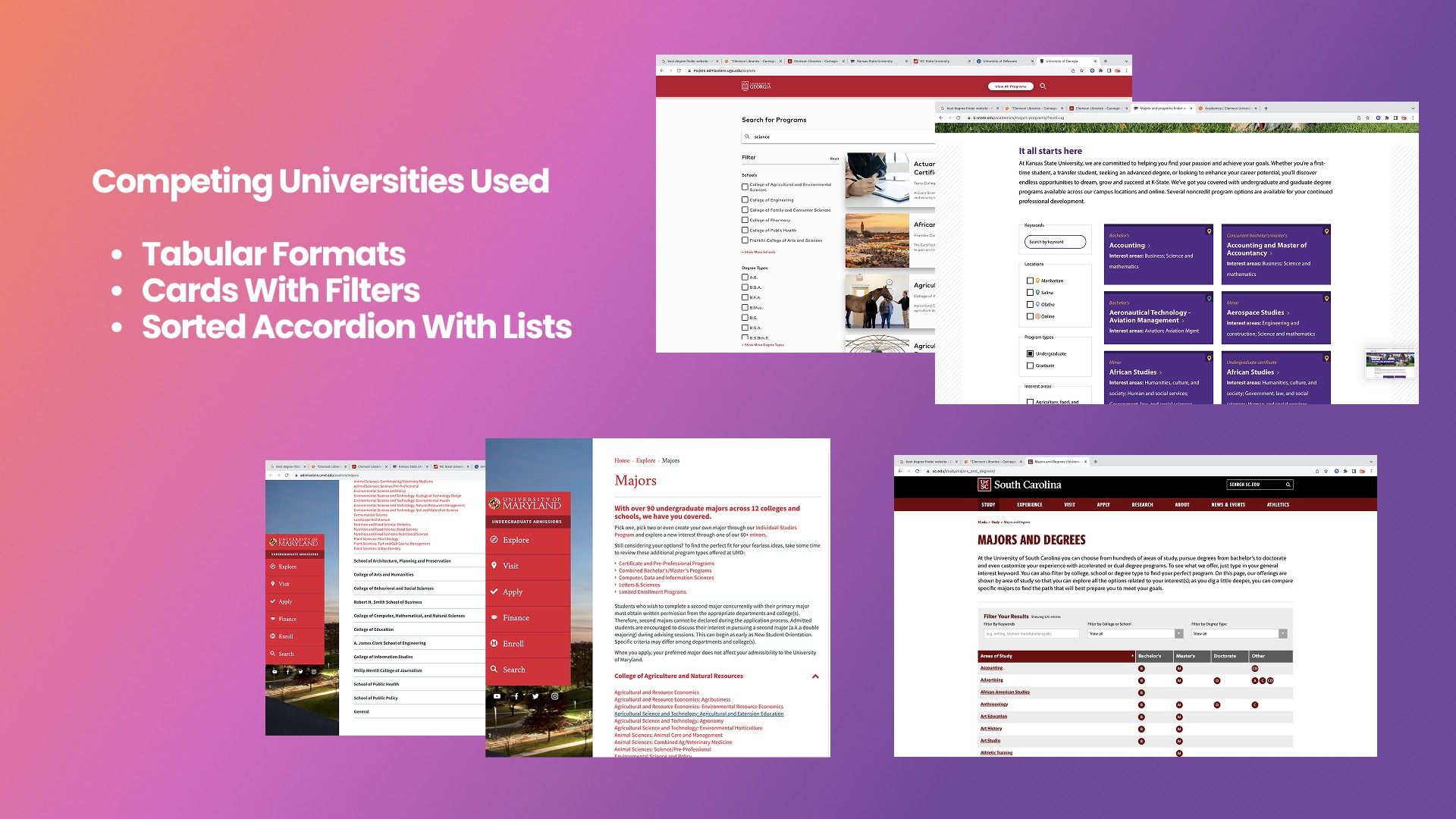
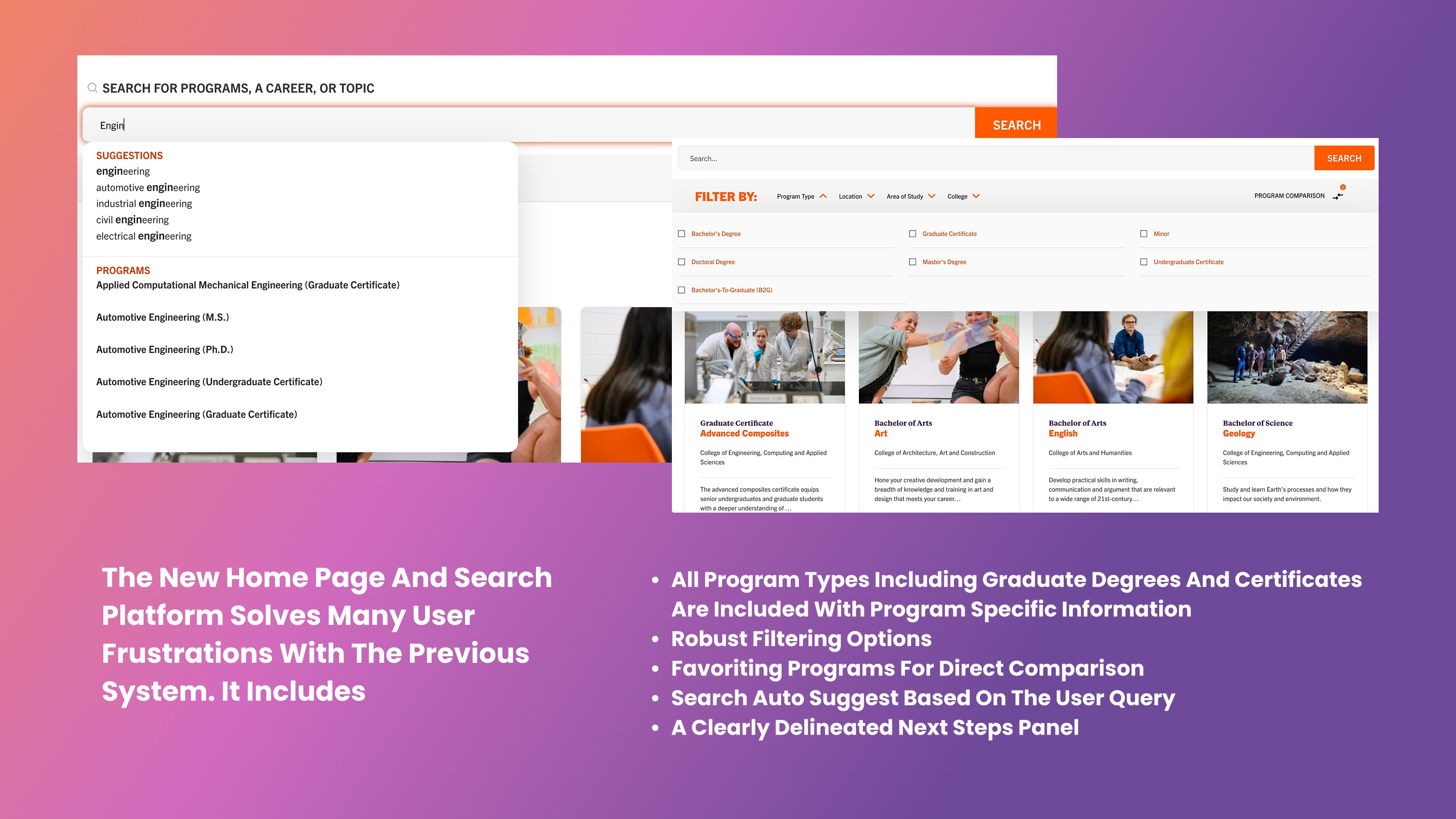
I Compared Degree Search tools from 15 peer institutions and in-state competitors and found a key differentiator that would set us apart would be a robust search tool and aggregation of all programs including certifications and graduate degrees into a single system.
Ideation, and wire-framing
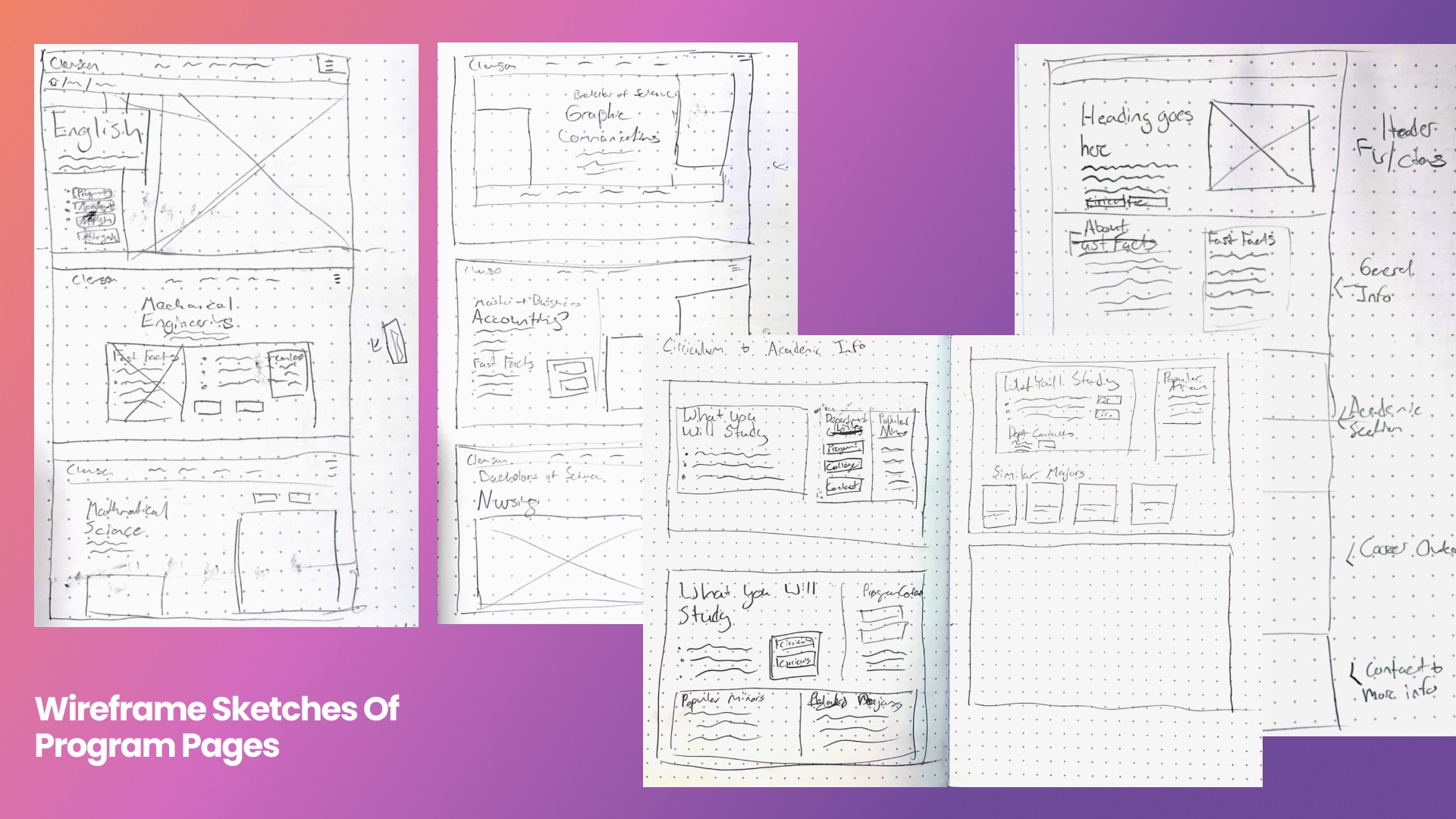
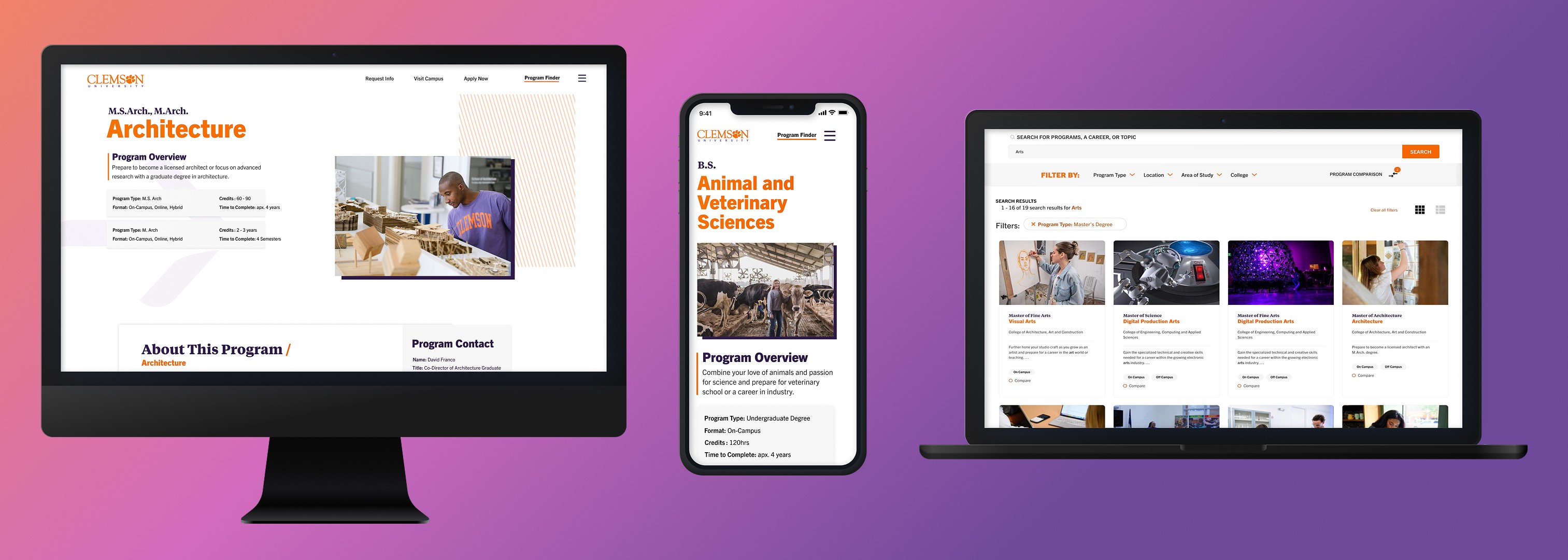
The testing and research was then used to determine the priorities for our layouts in the wireframing stage. Since detailed information about each programs exists on their respective college websites and our the goal for this site was quickly conveying the idea of each program, priority was placed on reducing each program page to the most valuable content to students with clean layouts that are easy to scan. Due there being over 300+ individual programs, the imagery would be limited to illustrations and minimal photography for our small team to be able to maintain.
Thus my key considerations for wireframes were…
An easily maintainable and updatable amount of graphic assets
A focus on the mobile layout and pageflow.
CTA's being prevalent and easy to find
Connection back to the Degree Finder and .EDU
Improvements to the RFI form at the bottom of each page
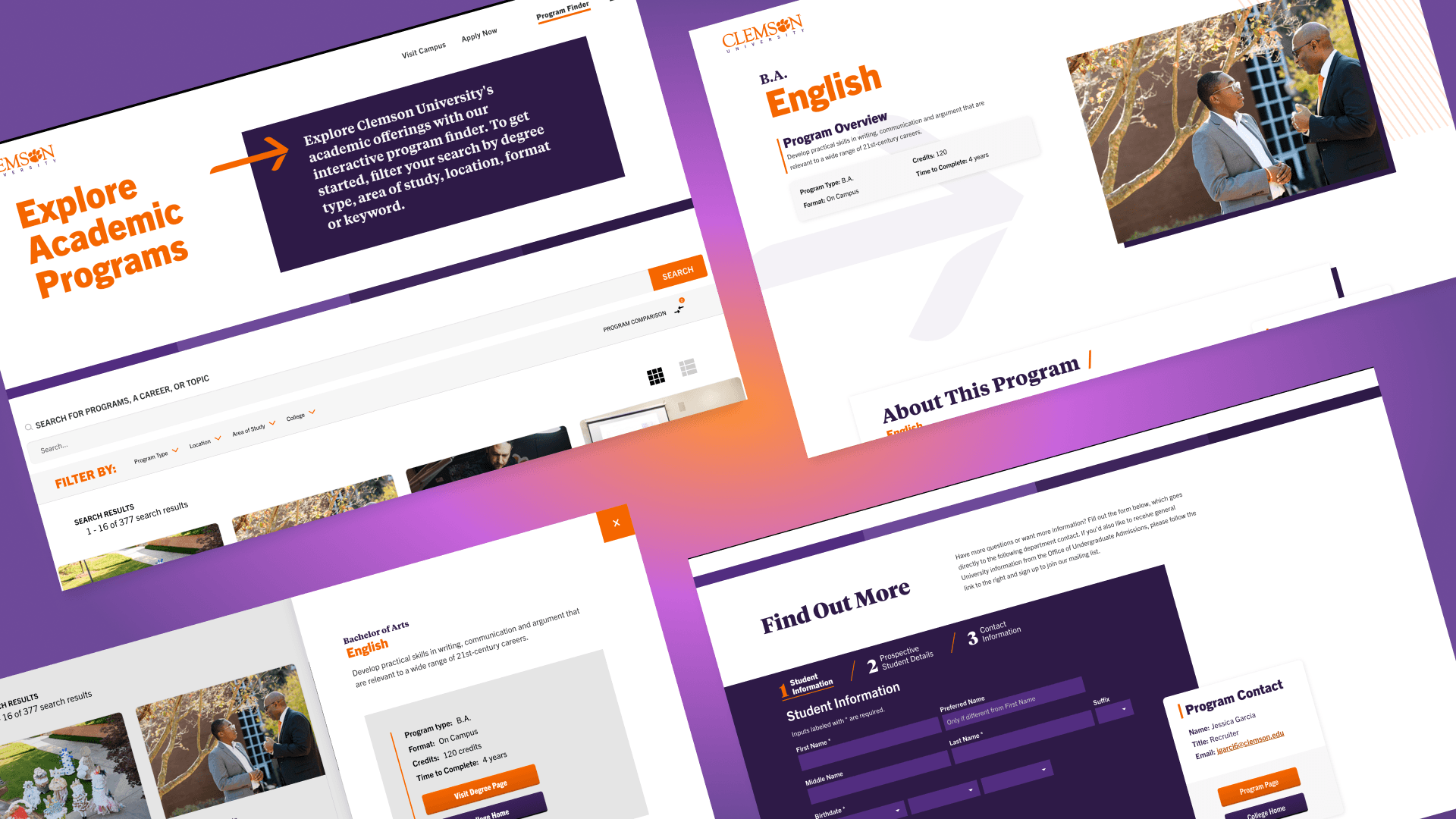
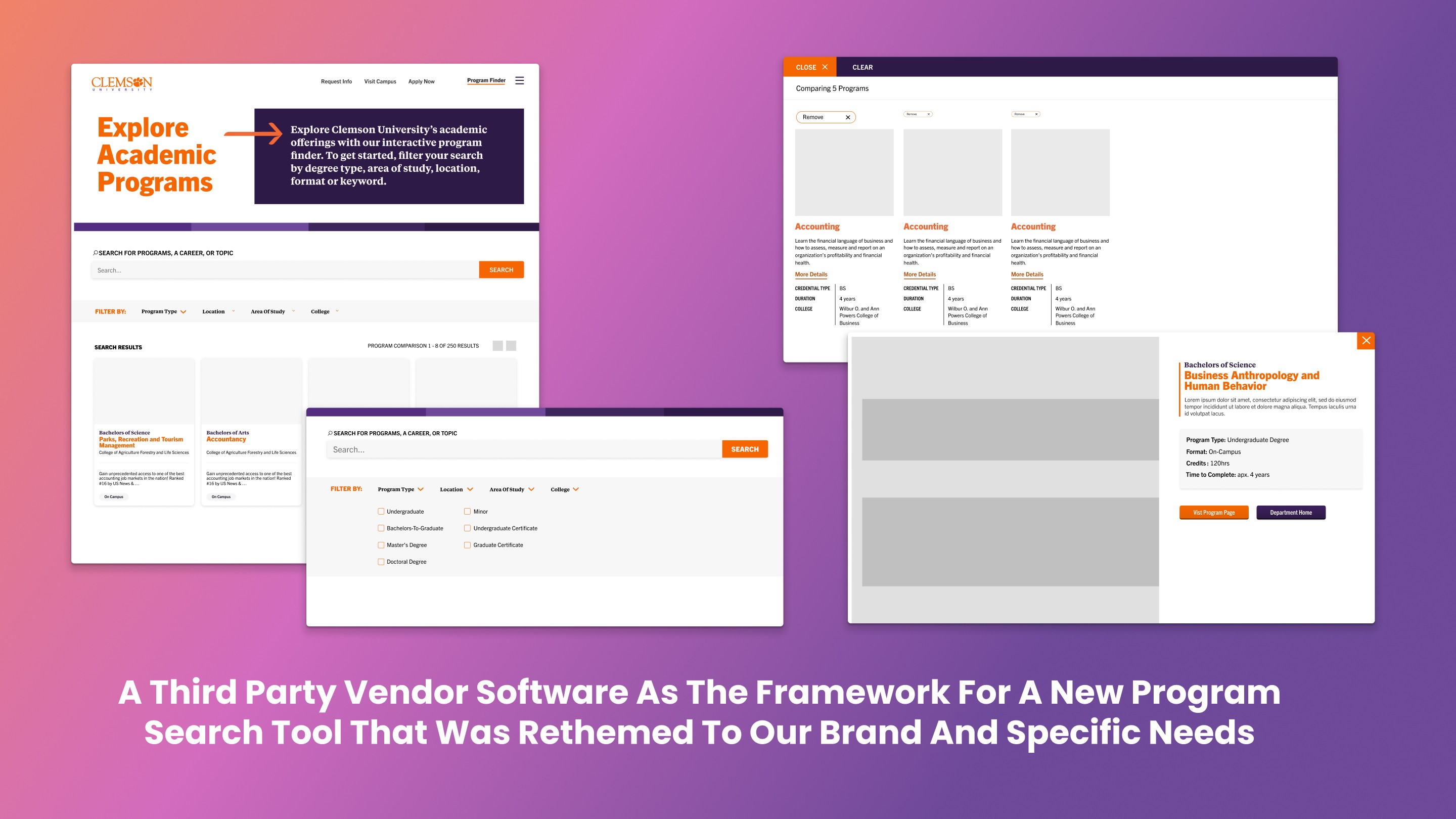
For the search tool itself we conducted an RFP for a platform that could organize the amount of program information we needed to contain in the site, and natively provide the robust search and filtering tools we needed. The winner was a search and CMS platform that provided an out of the box dynamic and user friendly framework for our main search tool and program finder homepage. Using their native template I would customize the visual style to fit our branding.
Visual design
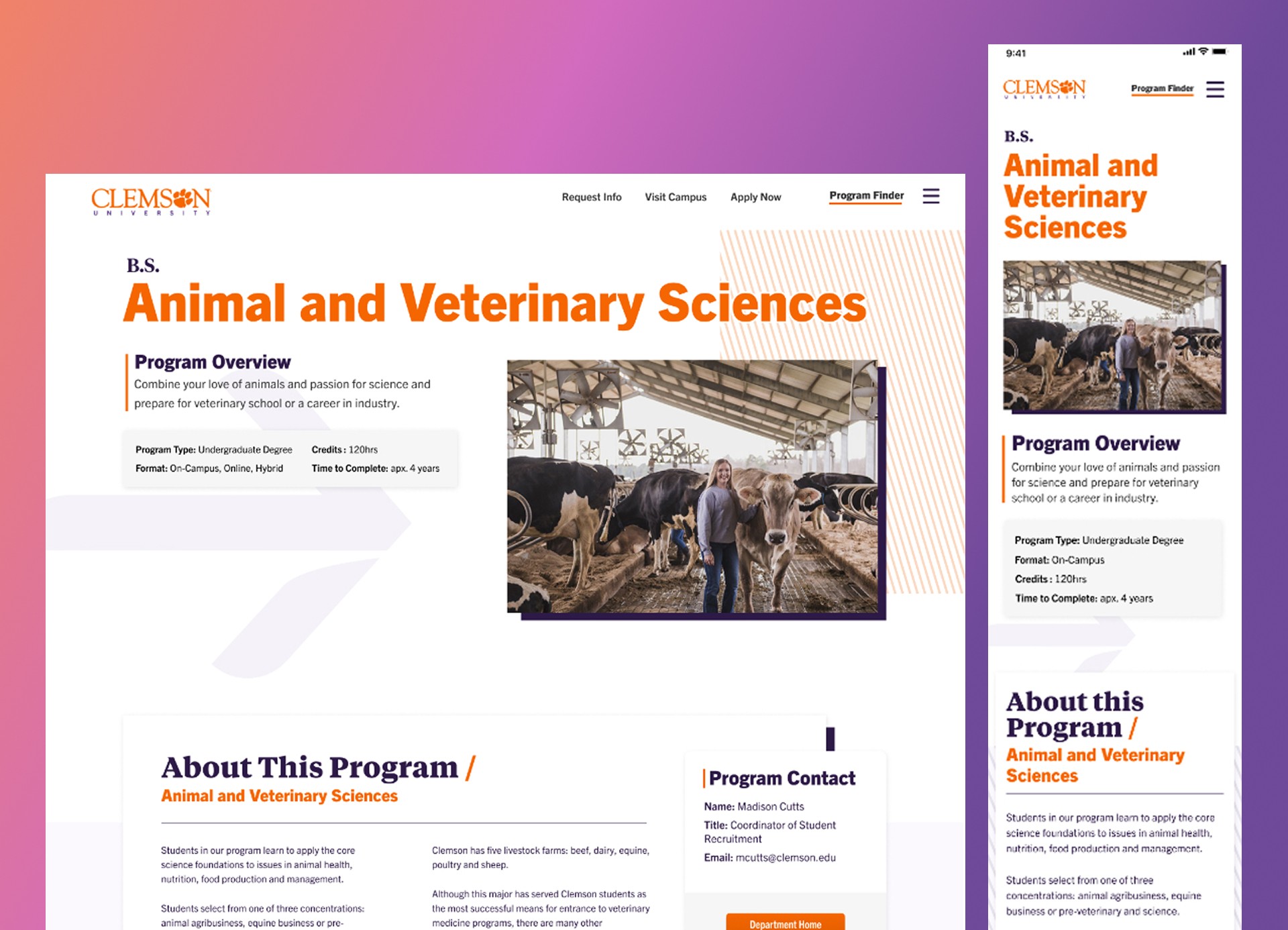
For the visual design my goals for the programs pages were to have each…
Use colorful high contrast for important elements on clean simple backgrounds
Include only authentic internally shot imagery when possible with stock photos as a last resort
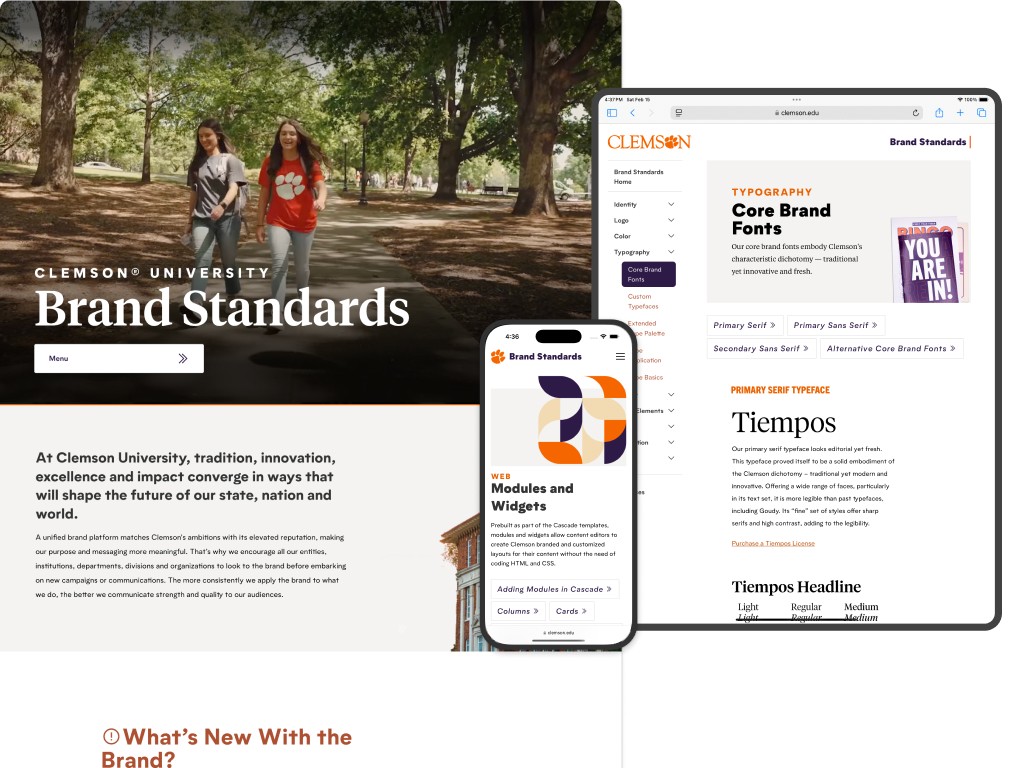
Incorporate brand elements from our current marketing campaigns
Use decorative vector elements and minimal unique photography to be easier to maintain
Stylize the RFI form to split up it's length and order to encourage more submissions
For the program finder tool itself the main goals were…
Distinguish each program visually with a unique photo to prevent confusion between each program type of a similar feild
Bringing in button and element styles from our design system
Applying our Brand's fonts and colors to the UI
Creating a key call to action block and purpose statement for the main masthead design.
Development
My annotated Figma designs were handed over to our development team where I assisted in answering implementation questions and guidance on issues and constraints encountered in the process that required pivoting from the original design.
Some examples of this problem solving process are…
Further narrowing unique photography to one specific image per program and using a generic shot in certain sections due to limited photography for certain subject areas.
Arranging photo shoots with photographers to cover identified gaps in available photography
Having limited ability to implement dynamic features from external API’s like listing sample courses for each program or dynamic salary data on popular jobs, and resolving with static self maintained contents instead.
Lack of communication and contractual issues with the search platform's vendor that resulted in our team having to limit what style changes to prioritize within their template and pivot on some features that were promised but not delivered.
Results
Anecdotal feedback from students and parents was very positive along with the new metrics. Analytics from the first two months after launch showed a 343% increase in the number of searches conducted on the new site, a 139% increase in pageviews across the site and a 10.8% increase in engaged sessions. The program finder tool itself had a 79% click through rate indicating that most users who conducted searches were able to find a program of interest to explore more about.